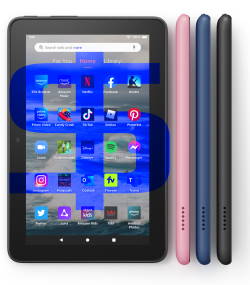
Fire Tablet Buying Guide helps you make informed decisions when considering buying an Amazon Fire tablet or buying accessories for your Fire tablet.
There are too many options for buying a tablet. But everyone may have unique expectations, and therefore, you may feel you cannot find the tablet you want.
Similarly, when it comes to accessories for your Fire tablet, you may also be overwhelmed by the choices. But you cannot find one for your tablet.
This Fire tablet buying guide page lists our in-depth guide explaining each Fire tablet's differences, pros and cons, and some accessories to help you get the right device based on your needs, budget, and expected usage.
Various types of Fire tablet buying guides are listed here to cater to different groups of readers. For example, some may consider a Fire tablet or other non-Fire tablets. Some may consider the model or generations of the Fire tablet. Some may want to get suggestions on accessories. Some may have questions about some Amazon services, for example, Kids+.
So, the format and length of each Fire tablet buying guide may differ significantly from others.
New Fire tablet buying guides will be added regularly. So, you may check back later if you cannot find the buying guides you need. You can also leave your questions in the comment box below. The community will help you.
Here is the list of released and coming-soon Fire tablet buying guides.
#13. Fire Tablet Buyer’s Guide 2025
Amazon Fire tablets remain the most affordable route to a premium entertainment experience. While 2025 hasn't introduced a completely new lineup, it has brought significant maturity to the ecosystem. The headline for 2025 is the widespread availability of Generative AI features and the “soft launch” of the upgraded Fire HD 8 (2024 release), which redefines the budget tablet market.
In this 2025 edition of the Fire Tablet Buyer's Guide, we analyze how the current models hold up against modern apps, why the “Plus” models are effectively discontinued, and which tablet is the best value for your money in 2025-2026. We also updated the buyer's guide with the best time to buy a Fire tablet and some technical warnings.
Fire Tablet Buyer's Guide 2025 will help you decide:
- Is a Fire tablet right for me?
- Which Fire tablet is for me?
- How to get the best deal on a Fire tablet?
Read on the check the 2025 edition of Fire tablet buyer's guide.
#12. Limitations and Missing Features of Amazon Fire Max 11
Amazon Fire Max 11 is the first “premium” model of the Fire tablet product family after Amazon discontinued the Kindle Fire HDX 7 and HDX 8.9 in 2015, although it only costs less than $230 (usually on sale for as low as $150). There are some interesting features, for example, fingerprint ID, active pen support, and an official keyboard case, as explained in this post. However, at the same time, there are some limitations and missing features of Amazon Fire Max 11.
This Fire tablet guide explains the top 7 limitations and missing features of Amazon Fire Max 11, including no DisplayPort Alt Mode, no wireless charging, no fast charging, no headphone jack, lack of Google Play store support, limited multitasking capabilities, and outdated Android version.
Read on to learn more about the limitations and missing features of Amazon Fire Max 11.
#11. Amazon Fire Max 11 Keyboard Case: Everything You Need to Know
Amazon Fire Max 11 keyboard case is the first keyboard case with the Amazon brand on it. The unique design and special keyboard features make the accessory very impressive, although it is not cheap at $89.99.
This Fire tablet guide explains everything you need to know about the Amazon Fire Max 11 keyboard case to help you decide whether it is for you or not. The guide also shows you how to use and customize Amazon Fire Max 11 keyboard case and its unique features.
Read on to learn more about the Amazon Fire Max 11 Keyboard Case.
#10. Fire HD 10 2023 vs. Fire HD 10 2021: What’s New in Fire HD 10 2023 (13th Gen)?
Amazon Fire HD 10 2023 (13th Gen) was announced on September 18, 2003, and will be shipped from October 18. You may wonder what's new in Fire HD 10 2023 vs. Fire HD 10 2021 (11th Gen).
This Fire Tablet Guide explains the top 10 new differences between Fire HD 10 2023 vs. Fire HD 10 2021, including a faster chipset (Mediatek MT8186A), 5MP front-facing camera, 13-hour battery life, stylus (active) support, lighter and thinner, Fire OS 8, new button layout, Bluetooth 5.3LE, no plus version, and $10 cheaper. We also explain some key features and specs remain unchanged.
Read on to explore Fire HD 10 2023 vs. Fire HD 10 2021.
#9. Fire Tablet Buyer’s Guide 2023
In this Fire Tablet Buyer's Guide 2023, I will first explain the difference between the Fire tablet and the Android tablet, when you may consider buying a Fire tablet, and when you should not consider the Fire tablet at all. The current (2023) models of Amazon Fire tablets are compared to explain the differences among these available models in 2023. You can then decide whether to get the 7″ Fire 7 or 8″ and 10″ HD or 11″ Fire Max tablet based on your budget usage, portability, and special needs.
Fire Tablet Buyer's Guide 2023 also explains what are the additional features or upgrades in the Plus version for Fire HD 8 and Fire HD 10. Kids edition is also discussed in detail so that you may know whether you should consider it.
Read on to check the Fire Tablet Buyer's Guide 2023.
#8. Amazon Fire Max 11: A Closer Look at the Top 10 New Features
The Amazon Fire Max 11 is the latest addition (13th Gen) to Amazon's lineup of the Amazon Fire tablet.
With its stunning display, faster CPU and more RAM, 14-hour battery life, improved (8MP) camera sensor, elevated multitasking capabilities, immersive audio, a fingerprint sensor, 64/128GB storage, premium design and build, and keyboard and stylus support, the Amazon Fire Max 11 is designed to be a “premium” Fire tablet. However, it is not the reborn of the discontinued HDX series.
In this post, the top 10 new features of Amazon Fire Max 11 will be discussed to help you understand the uniqueness of Amazon Fire Max 11.
Read on to explore the top 10 new features of Amazon Fire Max 11.
#7. Fire Tablet Buyers' Guide 2022
This Fire tablet buying guide first explains the difference between the Fire tablet and the Android tablet, when to consider buying a Fire tablet, and when not to consider the Fire tablet. The current (2022) models of Amazon Fire tablets are compared to explain the differences among these available models in 2022. You can then decide whether you should get the 7″ Fire 7 or 8″ and 10″ HD tablet based on your budget usage, portability, and special needs.
Fire tablet buyer’s guide 2022 also explains the additional features or upgrades in the Plus version for Fire HD 8 and Fire HD 10. Kids edition is also discussed in detail so that you may know whether you should consider it.
This Fire tablet buying guide finally explains why you should not buy a Fire tablet of the old generation and why you should avoid the refurbished Fire tablet.
Read on to get answers to your questions when considering a Fire tablet.
#6. What’s new in Fire HD 8 2022 (12th Gen) vs Fire HD 8 2022 (10th Gen)?
Fire HD 8 2022 (12th Gen) shares a similar size and design, almost identical display, and identical RAM compared to the previous generation of Fire HD 8 (Fire HD 2020/10th Gen).
So, what is new in Fire HD 8 2022 (12th Gen) vs Fire HD 8 2022 (10th Gen)?
This Fire tablet buying guide explains the six changes or improvements in the Fire HD 8 2022 (12th Gen) vs Fire HD 8 2022 (10th Gen), including Fire OS 8, a Hexa-core processor, 13-hour battery life, swapped locations for the power and volume buttons, 5MP rear camera for the Plus model, and $10 price hike.
Read on to check the new features and improvements of Fire HD 8 2022 (12th Gen) vs Fire HD 8 2022 (10th Gen).
#5. Fire 7 2022 vs Fire 7 2019: top 10 new features and improvements
As a successor to the 9th Gen Fire 7 (2019), Fire 7 2022 offers some valuable upgrades and changes.
This Fire tablet buying guide explains the top 10 new features and improvements of Fire 7 2022 vs Fire 7 2019, including Fire OS 8, faster CPU and GPU, more (double) RAM, USB-C, WiFi 5 (802.11ac), Bluetooth 5.0, longer battery life, VP9 codecs, Widevine DRM L1 support, and Inflation tax (just to make it 10).
Read on to check the new features and improvements of Fire 7 2022 vs Fire 7 2019.
#4. Fire HD 10 Plus vs Fire HD 10 2021 vs Fire HD 10 2019
Fire HD 10 2021 (11th Gen) offers a moderate update over Fire HD 10 2019 (9th Gen). Fire HD 10 Plus is the first “Plus” version of the Fire HD 10 series, apparently inspired by the moderate success of the Fire HD 8 Plus.
This Fire tablet buying guide explains the new features of Fire HD 10 2021 (11th gen) compared to Fire HD 10 2019 (9th Gen) and the difference between Fire HD 10 Plus vs Fire HD 10 2021 to help you decide whether you should get the new Fire HD 10, or the new Fire HD10 Plus. The productivity bundle for the 11th Gen Fire HD 10, Fire HD 10 Kids, and Fire HD 10 Kids Pro are also explained.
Read on to find out the new features of Fire HD 10 2021 (11th gen) compared to Fire HD 10 2019 (9th Gen) and the difference between Fire HD 10 Plus vs Fire HD 10 2021.
#3. Fire HD 8 Plus (2020) vs Fire HD 8 2020 (10th Gen) vs Fire HD 8 2018 (8th Gen)
What are the differences between Fire HD 8 Plus (2020) vs Fire HD 8 2020 (10th Gen) vs Fire HD 8 2018 (8th Gen)?
This Fire tablet buying guide explains the significant differences among Fire HD 8 Plus (2020), Fire HD 8 2020 (10th gen), and Fire HD 2018 (8th Gen) to help you understand the benefits of the improvements.
Read on to understand the differences between Fire HD 8 Plus (2020) vs Fire HD 8 2020 (10th Gen) vs Fire HD 8 2018 (8th Gen).
#2. Fire HD 10 2019 (9th Gen): everything you need to know
This Fire tablet buying guide explains everything you need to know about Fire HD 10 9th Gen: the new features, pros and cons (review) of Fire HD 10 2019, alternatives to this tablet, and answers to questions you may have about this tablet.
Check the guide now to get all info you need on Fire HD 10 2019 (9th Gen).
#1. Top 10 things you should know about the new Kindle Fire HDX 7 and HDX 8.9
This Fire tablet buying guide explains the top 10 features you should know about the new Kindle Fire HDX 7 and Kindle Fire HDX 8.9. These include:
- The Mayday button
- Lag-free Mojito 3.1 (Fire OS 3.1)
- Fast and reliable WiFi
- Stunning display
- Watch everything on TV ( Display Mirroring)
- Free Month of Amazon Prime
- Kindle FreeTime
- Free month of Kindle FreeTime Unlimited
- Free Amazon cloud
- Free app of the day
Check the guide now to learn about the top 10 features of the new Kindle Fire HDX 7 and Kindle Fire HDX 8.9.


Other Fire tablet guides
In addition to the Fire tablet buying guides listed here, you can also find detailed how-to guides showing you how to use some features of your Amazon Fire tablet.
Please check the Fire tablet how-to guides page to try these guides.
Do you have any questions about Fire tablet buying guides?
If you have any questions about buying a Fire tablet, please let us know in the comment box below. The community will try to help you.
Detailed information on how to use Google Play Store on Fire tablets can be found here.
Need advice on using a Fire tablet? Check the Fire tablet How-to Guides now.
You may also reach us via our Facebook page or the contact us form.


