• Skip to primary navigation
  • Skip to main content
  • Skip to primary sidebar
  • Skip to footer

Guides for Fire Tablet

  • Home
    • About
    • Privacy
    • Contact
  • How-to
    • How to use Writing Assist on Fire Tablet?
    • How to use Wallpaper Creator on your Fire tablet?
    • How to Use Webpage Summaries on Your Fire Tablet?
    • Amazon Fire Max 11: A Closer Look at the Top 10 New Features
      • Limitations and Missing Features of Amazon Fire Max 11
      • Amazon Fire Max 11 Keyboard Case: Everything You Need to Know
      • How to use the fingerprint ID on Fire Max 11?
      • The Definite Guide on Amazon Stylus Pen for Fire Max 11
    • How to use Quick Settings on Fire tablets?
    • How to take a screenshot on a Fire tablet without using any apps like a pro?
    • Everything about Fire OS 8
      • How to Use Dark Theme on Fire Tablets with Fire OS 8?
    • How to install Google Play Store on Amazon Fire Tablet: Fire 6, Fire 7, Fire HD 8, Fire HD 10, and Fire Max 11?
    • How to Use Split Screen on Fire HD 10 (2019,2021,2023), Fire HD 10 Plus, Fire HD 8 (2020, 2022), Fire HD 8 Plus (2022, 2022), and Fire Max 11?
    • How to use the official wireless keyboard for Amazon Fire HD 10 2021 (and Fire HD 10 Plus)?
      • How to use the 15 special keys and 11 keyboard shortcuts on the official wireless keyboard for Amazon Fire HD 10 2021 (and Fire HD 10 Plus)?
    • The ultimate guide of USB-C fast charging on Fire HD 10 2019, Fire HD 8 2020, and later devcies
    • How to use the micro SD card on the Fire tablet?
    • How to sideload Android apps in Kindle Fire, Kindle Fire HD and Kindle Fire HDX?
    • How to enable and access developer options on Amazon Fire tablet, and how to hide developer options again?
    • How to setup a Google account on Amazon Fire tablet?
  • Buyer’s Guide
    • Fire Tablet Buyer’s Guide 2025
      • Fire Tablet Buyer’s Guide 2024
      • Fire Tablet Buyer’s Guide 2023
      • Fire Tablet Buyer’s Guide 2022
    • What’s new in Fire HD 8 2024 (12th Gen)?
    • Fire HD 10 2023 vs. Fire HD 10 2021: What’s New in Fire HD 10 2023 (13th Gen)?
    • Amazon Fire Max 11: A Closer Look at the Top 10 New Features
      • Limitations and Missing Features of Amazon Fire Max 11
    • What’s new in Fire HD 8 2022 (12th Gen) vs Fire HD 8 2022 (10th Gen)?
    • Fire 7 2022 vs Fire 7 2019: top 10 new features and improvements
    • Fire HD 10 Plus vs. Fire HD 10 2021 vs. Fire HD 10 2019
    • Fire HD 8 Plus (2020) vs Fire HD 8 2020 (10th Gen) vs Fire HD 8 2018 (8th Gen)
    • Fire HD 10 2019 (9th Gen): everything you need to know
    • Top 10 things you should know about new Kindle Fire HDX 7 and HDX 8.9

FIRE HD 8

How to Use Webpage Summaries on Your Fire Tablet?

Last updated on: January 6, 2025, first published on: December 14, 2024 Leave a Comment

How to Use Webpage Summaries on Your Fire Tablet?

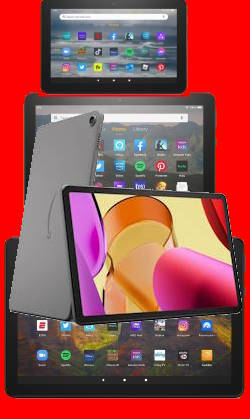
Among the three generative AI features available for Fire tablets, the Webpage Summaries feature stands out as the most widely accessible.

This Fire tablet how-to guide explains what the Webpage Summaries feature is, how to use the Webpage Summaries on your Fire tablet, and its availability on Fire tablet models. FAQs related to this feature are also answered in the guide.

You may check other guides on how to use the other two generative AI features: Wallpaper Creator and Writing Assist.

What is the Webpage Summaries feature?

With the release of the Fire HD 8 2024, Amazon announced three generative AI features:

  • Webpage Summaries to help you quickly get essential info on a webpage with the Silk browser.
  • Wallpaper Creator to help you create some unique wallpapers for Fire tablets.
  • Writing Assist to help you improve your writing in many apps.

In a nutshell, the Webpage Summaries can help you summarize the key points of a webpage, especially for long articles. This can save you a lot of time because many articles are usually too long and wordy.

Because the summary is created with generative AI, occasionally, hallucinations may be spotted for some articles that are too hard to understand (e.g., too technical or not well-written).

Which Fire tablet supports Webpage Summaries?

Among the three generative AI features, the Webpage Summaries has the highest availability. It is available on Fire HD 8 (2018 or later), Fire HD 10 (2019 or later), and Fire Max 11 (2023):

  • Fire HD 8 2018 (8th Gen)
  • Fire HD 8 2020 (10th Gen)
  • Fire HD 8 Plus 2020 (10th Gen)
  • Fire HD 8 2022 (12th Gen)
  • Fire HD 8 Plus 2022 (12th Gen)
  • Fire HD 8 2024 (12th Gen)
  • Fire HD 10 2019 (9th Gen)
  • Fire HD 10 2021 (11th Gen)
  • Fire HD 10 Plus 2021 (11th Gen)
  • Fire HD 10 2023 (13th Gen)
  • Fire Max 11 (2023)

Please note that generative AI features are currently unavailable on Fire 7, including Fire 7 2022 (12th Gen) and Fire 7 2019 (9th Gen).… Read the rest
Filed Under: How-to guides Tagged With: AI, chrome for android, Fire HD 10, FIRE HD 8, Fire Max 11, Fire OS 7, Fire OS 8, FireFox, generative AI, google play, settings, silk browser, update, wallpaper creator, webpage summaries, writing assist

Fire Tablet Buyer’s Guide 2023

Last updated on: November 21, 2025, first published on: July 10, 2023 Leave a Comment

Fire Tablet Buyer's Guide 2023

Amazon Fire tablet (Fire 7, Fire HD 8, Fire HD 10, and Fire Max 11) is the most affordable Android tablet on the planet. Fire Tablet Buyer's Guide 2023 will help you decide:

  • Is a Fire tablet right for me?
  • Which Fire tablet is for me?
  • How to get the best deal on a Fire tablet.

In this Fire Tablet Buyer's Guide 2023, I will first explain the difference between the Fire tablet and the Android tablet, when you may consider buying a Fire tablet, and when you should not consider the Fire tablet at all. The current (2023) models of Amazon Fire tablets are compared to explain the differences among these available models in 2023. You can then decide whether to get the 7″ Fire 7 or 8″ and 10″ HD or 11″ Fire max tablet based on your budget usage, portability, and special needs.

Fire Tablet Buyer's Guide 2023 also explains what are the additional features or upgrades in the Plus version for Fire HD 8 and Fire HD 10. Kids edition is also discussed in detail so that you may know whether you should consider it.

This Fire Tablet Buyer's Guide 2023 finally explains why you should not buy a Fire tablet of the old generation and why you should avoid the refurbished Fire tablet.

Update: Fire Tablet Buyer's Guide 2024.

Update (latest): Fire Tablet Buyer's Guide 2025.

Difference between the Fire tablet and the Android tablet

Amazon Fire tablet is not exactly an Android tablet, although it is often quoted as the most affordable Android tablet.

Amazon Fire tablet differs from a “normal” Android tablet in a few aspects, including:

  • No official Google Play Store access.
… Read the rest

Filed Under: Buyer Guide, How-to guides, Kindle Fire Guide, Kindle Fire Update Tagged With: active pen, Bluetooth keyboard, buyer's guide, fingerprint ID, fingerprint reader, Fire 7, Fire 7 2022, Fire HD 10, Fire HD 10 2021, Fire HD 10 2023, Fire HD 10 Kids, Fire HD 10 Kids Pro, Fire HD 10 Plus, FIRE HD 8, Fire HD 8 2022, Fire HD 8 Kids, Fire HD 8 Kids Pro, Fire HD 8 Plus, Fire Max 11, Fire tablet buyer's guide 2023, keyboard, kids+, productivity bundle, stylus, USI 2.0

What’s new in Fire HD 8 2022 (12th Gen) vs Fire HD 8 2020 (10th Gen)?

Last updated on: January 6, 2025, first published on: October 9, 2022 4 Comments

What's new in Fire HD 8 2022 (12th Gen) vs Fire HD 8 2022 (10th Gen)?

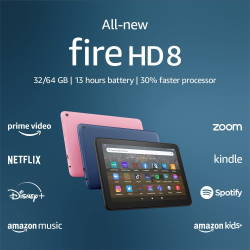
Amazon announced the Fire HD 8 2022, which is the 12th Gen of the Fire Tablet, on September 21, 2022. You can get your hands on it from October 19.

Fire HD 8 2022 (12th Gen) shares a similar size and design, almost identical display, similar micro SD card support, and identical RAM, compared to the previous generation of Fire HD 8 (Fire HD 2020/10th Gen).

So, what is new in Fire HD 8 2022 (12th Gen) vs Fire HD 8 2020 (10th Gen)?

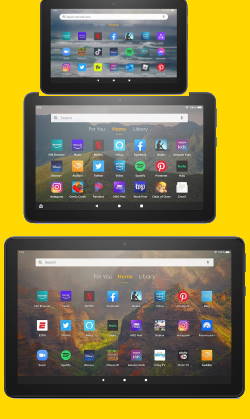
This Fire tablet buying guide explains the six changes or improvements in the Fire HD 8 2022 (12th Gen) vs Fire HD 8 2020 (10th Gen), including Fire OS 8, a Hexa-core processor, 13-hour battery life, swapped locations for the power and volume buttons, 5MP rear camera for the Plus model, and $10 price hike.

Update: the upgrade model, Fire HD 8 2024 (12th Gen), is now replacing Fire HD 8 2022. However, there is no Plus version in the 2024 release.

1. Fire OS 8

Fire HD 8 2022 (12th Gen) is the second Fire tablet with the latest Fire OS: Fire OS 8.

As explained in this post, Fire 7 2022 (12th Gen) is the first Fire tablet shipped with Fire OS 8.

You can use all new features and improvements in Fire OS 8 with the new Fire HD 8 2022 (12th Gen), e.g.,

  • Improved security and privacy options.
  • Native screen recorder.
  • System-wide dark theme. You may check this guide on how to use and schedule the Dark Theme.
  • High-efficiency image file (HIEF) support.
  • Restricted background activities

Please note Fire OS 8 does work with the Google Play store.… Read the rest

Filed Under: Buyer Guide, How-to guides, Kindle Fire Guide, Kindle Fire Review, Kindle Fire Update Tagged With: AI, camera, dark theme, fast charging, FIRE HD 8, Fire HD 8 12th Gen, Fire HD 8 2020, Fire HD 8 2022, Fire HD 8 2024, Fire HD 8 Kids, Fire HD 8 Kids Pro, Fire HD 8 Plus, Fire HD Plus 2022, Fire Max 11, Fire OS 8, Fire tablet buyer's guide 2022, generative AI, Google Play Store, Power button, power-off menu, screen recorder, screenshot, SD card, take screenshots, USB Power Delivery, USB-C, volume button, wallpaper creator, webpage summaries, wireless charging, writing assist

Fire Tablet Buyer’s Guide 2022

Last updated on: November 21, 2025, first published on: July 17, 2022 Leave a Comment

Fire Tablet Buyer's Guide 2022

Amazon Fire tablet (Fire 7, Fire HD 8, and Fire HD 10) is the most affordable Android tablet on the planet. Fire tablet buyer's guide 2022 help you decide:

  • Is a Fire tablet right for me?
  • Which Fire tablet is for me?
  • How to get the best deal on a Fire tablet.

In this Fire tablet buyer's guide 2022, I will first explain the difference between the Fire tablet and the Android tablet, when you may consider buying a Fire tablet, and when you should not consider the Fire tablet at all. The current (2022) models of Amazon Fire tablets are compared to explain the differences among these available models in 2022. You can then decide whether you should get the 7″ Fire 7 or 8″ and 10″ HD tablet based on your budget usage, portability, and special needs.

Fire tablet buyer's guide 2022 also explains what are the additional features or upgrades in the Plus version for Fire HD 8 and Fire HD 10. Kids edition is also discussed in detail so that you may know whether you should consider it.

This Fire tablet buyer's guide 2022 finally explains why you should not buy a Fire tablet of the old generation and why you should avoid the refurbished Fire tablet.

The 2023 updated version of this guide is available: Fire Tablet Buyer's Guide 2023.

Update: Fire Tablet Buyer's Guide 2024.

Update (latest): Fire Tablet Buyer's Guide 2025.

Difference between the Fire tablet and the Android tablet

Amazon Fire tablet is not exactly an Android tablet, although it is often quoted as the most affordable Android tablet.

Amazon Fire tablet differs from a “normal” Android tablet in a few aspects, including:

  • No official Google Play Store access.
… Read the rest

Filed Under: Buyer Guide, Kindle Fire Guide, Kindle Fire Review, Kindle Fire Update Tagged With: Amazon Kids, Amazon Kids plus, Amazon Prime, android, Bluetooth keyboard, case, Fire 7, Fire 7 2022, Fire HD 10, Fire HD 10 2021, Fire HD 10 Plus, FIRE HD 8, Fire HD 8 2020, Fire HD 8 Plus, Fire OS, Fire OS 7, Fire OS 8, Fire tablet buyer's guide 2022, Google play services, Google Play Store, iPad, Kindle Free Unlimited, micro SD card, Microsoft 365, productivity bundle, sideload, USB-C, wireless charging, YouTube, YouTube Kids

Fire 7 2022 vs Fire 7 2019: top 10 new features and improvements

Last updated on: January 6, 2025, first published on: July 11, 2022 Leave a Comment

Fire 7 2022 vs Fire 7 2019: top 10 new features and improvements

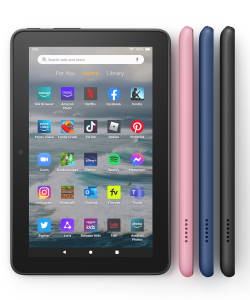
After about 3 years, Amazon finally refreshed the most affordable Android tablet on the planet, Fire 7. The 12th Gen Fire 7 (2022) was announced in May and released in June. Many Fire tablet owners wonder about the difference between Fire 7 2022 and Fire 7 2019.

As a successor to the 9th Gen Fire 7 (2019), Fire 7 2022 offers some valuable upgrades and changes.

This Fire tablet guide explains the top 10 new features and improvements of Fire 7 2022 vs Fire 7 2019, including.

  1. Fire OS 8
  2. Faster CPU and GPU
  3. More (double) RAM
  4. USB-C
  5. WiFi 5 (802.11ac)
  6. Bluetooth 5.0
  7. Longer battery life
  8. VP9 codecs
  9. Widevine DRM L1 support
  10. Inflation tax (just to make it 10)

Some comparison was also extended to the current Fire HD 8 (10th Gen) and Fire HD 10 (11th Gen) to help you decide whether Fire 7 2022 is the right tablet for you.

Fire OS 8

Fire 7 2022 is the first Amazon device that ships with Fire OS 8, which is based on Android 11.

As a comparison, Fire 7 2019 (9th Gen) was updated to Fire OS 7, which is based on Android 9. The latest Fire HD 8 (2020, 10th gen) and Fire HD 10 (2021, 11th gen) are also running on Fire OS 7.

Although the latest version of Android is Android 12, Android 11 is still a major leap from Android 9 (Android Pie).

Some of the Android 10 and Android 11 features will benefit all users. For example,

  • Improved security and privacy options.
  • Native screen recorder.
  • System-wide dark theme.

You may check this guide on using new features in Fire OS 8.… Read the rest

Filed Under: Buyer Guide, Kindle Fire Guide, Kindle Fire Review, Kindle Fire Update Tagged With: 12th Gen Fire 7, AI, Android 11, Android Pie, Bluetooth LE, dark theme, DRM, Fire 7 2022, Fire HD 10, FIRE HD 8, Fire OS, Fire OS 7, Fire OS 8, Fire tablet buyer's guide 2022, generative AI, google play, Google play services, Google Play Store, micro SD card, quick settings, SD card, split screen, take screenshots, USB OTG, USB Power Delivery, USB-C, wallpaper creator, webpage summaries, WiFi 5, WiFi 6, writing assist, YouTube, YouTube Kids

The ultimate guide of USB-C fast charging on Fire HD 10 2019, Fire HD 8 2020, and later devcies

Last updated on: November 21, 2025, first published on: October 14, 2020 9 Comments

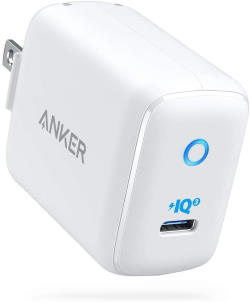
USB-C fast charging on Fire HD 10 2019, Fire HD 8 2020, and Fire HD 8 PlusThe addition of a USB-C port on Fire HD 10 2021 (11th  Gen), Fire HD 10 Plus, Fire HD 10 2019 (9th Gen), Fire HD 8 2020 (10th Gen), and Fire HD 8 Plus makes these Fire tablets support 15W USB-C fast charging and be compatible with more USB accessories. This Fire tablet how-to guide explains what USB-C fast charging  (PD) is, how to use it to charge your Fire HD tablets faster, and known problems and caveats of using fast charging on Fire HD tablets.

Please note, that this guide only applies to Fire HD tablets with a USB-C port.  Currently, Fire HD 10 2021 (11th Gen), Fire HD 10 Plus, Fire HD10 2019 (9th Gen), Fire HD 8 2020 (10th Gen), and Fire HD 8 Plus, Fire HD 8 2022 (12th Gen), Fire HD 8 Plus (2022), Fire HD 10 2023 (13th Gen), and Fire Max 11 (13th Gen) have the USB-C Port. Older generations and Fire 7 only have a micro USB port. Fire 7 2022 (12th Gen) has now also switched to the USB-C port, and therefore, this guide also applies to the 12th Gen Fire 7 (2022)

You may check the latest edition of the Fire Tablet Buyer's Guide to get more info,

What is USB-C fast charging (USB PD)?

For the 10th gen Fire HD 8 (Fire HD 2020), Amazon stated:

Fully charge in under 5 hours using the USB-C cable and 5W power adapter included in the box. Fully charge in under 4 hours with 9W adapter (sold separately), and under 3 hours with 15W adapter and USB type C to C cable (adapter and cable sold separately).

Essentially, you can fully charge Fire HD 8 2020 or Fire HD 8 Plus (and Fire HD 10 2019 and Fire HD 10 2021) within 3 hours with fast charging.… Read the rest

Filed Under: How-to guides, Kindle Fire Guide, Kindle Fire Update Tagged With: 12th Gen Fire 7, fast charging, Fire 7 2022, Fire HD 10 11th Gen, Fire HD 10 2019, Fire HD 10 2021, Fire HD 10 2023, Fire HD 10 9th Gen, FIRE HD 8, Fire HD 8 2020, Fire HD 8 2022, Fire HD 8 Plus, Fire Max 11, Google Play Store, PD 2.0, PD 3.0, USB Power Delivery, USB-C, wireless charging

Fire HD 8 Plus (2020) vs Fire HD 8 2020 (10th Gen) vs Fire HD 8 2018 (8th Gen)

Last updated on: September 16, 2023, first published on: September 11, 2020 4 Comments

Fire HD 8 Plus (2020) vs Fire HD 8 2020 (10th Gen) vs Fire HD 8 2018 (8th Gen)Amazon announced two models for the 10th generation of Fire HD 8: Fire HD 8 and Fire HD 8 Plus, instead of the traditional one, as the successor of Fire HD 8 2018 (8th Gen).
So, what are the differences between Fire HD 8 Plus (2020) vs Fire HD 8 2020 (10th Gen) vs Fire HD 8 2018 (8th Gen)?

This Fire tablet guide explains the significant differences among Fire HD 8 Plus (2020), Fire HD 8 2020 (10th gen), and Fire HD 2018 (8th Gen) to help you understand the benefits of the improvements.

Update: there is a newer version of Fire HD 8: Fire HD 8 2022 (12th Gen).

Fire HD 8 Plus (2020) vs Fire HD 8 2020 (10th Gen)

Fire HD 8 Plus and Fire HD 8 2020 share identical dimensions and ports. So, the cases for these two tablets are interchangeable. The hardware inside these two tablets is almost identical, with two exceptions (read on). 

Both tablets also run identical software with almost identical Fire OS 7.3 (which is based on Android Pie/9.0). This also means it is very easy to add Google Play Store to both tablets.

You can also use the micro SD card as internal storage on both devices as well.

There are two major differences between Fire HD 8 Plus (2020) and Fire HD 8 2020.

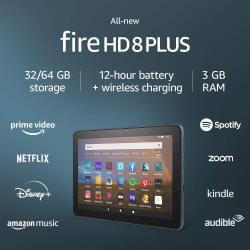
Difference 1. Fire HD 8 Plus has a 3GB RAM

Amazon increased the RAM in Fire HD 8 (10 gen)to 2GB (from 1.5GB in previous generations). And Fire HD 8 Plus further increases the RAM to 3GB.

So, Fire HD 8 Plus is the Fire HD tablet with the largest RAM currently. Remember, the latest Fire HD  10 (Fire HD 10 2019) only has 2GB RAM.… Read the rest

Filed Under: Buyer Guide, Kindle Fire Guide, Kindle Fire Review, Kindle Fire Update Tagged With: Android Pie, Bluetooth LE, fast charging, Fire 7 2022, Fire HD 10 2019, FIRE HD 8, Fire HD 8 10th Gen, Fire HD 8 2020, Fire HD 8 Plus, Fire Max 11, Fire OS 6, Fire OS 7, Fire OS 8, Fire tablet buyer's guide 2022, Google Play Store, micro SD card, split screen, USB-C, WiFi 5, wireless charging

How to use the micro SD card on the Fire tablet?

Last updated on: September 26, 2023, first published on: January 2, 2020 28 Comments

use micro SD cardWith the release of Fire OS 6 on Fire HD 8 2018 (8th Gen) and Fire 7 2019 (9th Gen), Fire OS 7 on Fire HD 10 2019 (9th Gen), Fire HD 8 2020 (10th gen), Fire HD 8 Plus (2020), and Fire OS 8 on Fire 7 2022, Fire HD 8 2022 (12th Gen), and Fire HD 10 2023 (13th Gen), you have the new option of using the micro SD card as the tablet (internal) storage (adoptable storage) to expand the internal storage on these 3 5 devices.

This Fire tablet how-to guide explains the new option and the pros and cons of using the micro SD card as adoptable storage on Fire HD 10 (9th Gen), Fire HD 8 (8th Gen), and Fire 7 (9th Gen). Fire HD 8 2020 (10th Gen), Fire HD 8 Plus 2020, Fire HD 10 2021 (11th Gen), and Fire HD 10 Plus.  It also explains when you need to use the adoptable storage option.

The guide also shows you how to use the micro SD card as internal storage, and how to manage the SD card on Fire HD 10 (9th,11th Gen), Fire HD 8 (8th,10th, 12th Gen), Fire 7 (9th,12th Gen), and Fire Max 11 (13th Gen).

What is the new option of using the Micro SD card on the Fire tablet?

In addition to using the SD card as external storage, you can now use a micro SD card as internal storage (adoptable storage) on Fire HD 10 2019 (9th Gen), Fire HD 10 2021 (11th Gen), Fire HD 10 Plus, Fire 7 2019 (9th Gen), Fire HD 8 2018 (8th Gen), Fire HD 2020 (10th Gen),  Fire HD 8 Plus (2020),  Fire 7 2022 (12th Gen), and Fire Max 11 (13th Gen).… Read the rest

Filed Under: How-to guides, Kindle Fire Update Tagged With: 12th Gen Fire 7, adoptable storage, Fire 7 2022, Fire HD 10, Fire HD 10 2019, Fire HD 10 2021, Fire HD 10 2023, Fire HD 10 9th Gen, Fire HD 10 Plus, FIRE HD 8, Fire HD 8 2022, Fire HD 8 Plus, Fire Max 11, Fire OS, Fire OS 6, Fire OS 7, Fire OS 8, Fire tablet buyer's guide 2022, Google Play Store, micro SD card, portable storage, SD card

How to install Google Play Store on Amazon Fire Tablet: Fire 6, Fire 7, Fire HD 8, Fire HD 10, and Fire Max 11?

Last updated on: December 29, 2024, first published on: December 9, 2018 157 Comments

install Google Play Store on Amazon Fire Tablet: Fire HD 7, Fire HD 8 and Fire HD 10

Google Play store is the store for Android devices. Although the Amazon Appstore and the pre-installed Amazon apps are sufficient for some owners, many users may need to install Google Play Store on Amazon tablets to get more value from their Fire 6, Fire 7, HD 8, HD 10, or Fire Max 11.

This Fire tablet how-to guide explains the steps of installing the Google Play Store on an Amazon Fire tablet, and shows you how to download and install the 4 correct APK files. 

This guide applies to all Amazon Fire tablets with Fire OS 5 or newer. So, you can follow this guide to install Google Play Store on Amazon Fire tablets, including Fire 6, Fire 7, Fire HD 8, and Fire HD 10 from the 4th gen to the 13th gen, including the Kids edition, and Fire Max 11.

Why do I need to manually install Google Play Store on Amazon Fire tablet?

In a nutshell, the Amazon tablet is an Android tablet. Fire OS in Amazon tablets is based on Android.

In the past, Amazon tried very hard to make it difficult to install the Google Play store on the Fire tablet. But since Fire OS 5 (corresponds to Android Lollipop 5.1), Amazon apparently stopped the efforts.

But you should not expect Google Play store or any Google services on Amazon products: they are direct competitors on all fronts:  Amazon Appstore vs. Google Play store, Amazon Fire TV vs. Google Chromecast, Amazon Echo vs. Google Home, Amazon Video vs. Google Play TV movies + YouTube Prime, Amazon Cloud vs. Google Cloud.

The relationship between Google and Amazon is so intense that Amazon once barred Google Chromecast and Google Home in the platform.… Read the rest

Filed Under: How-to guides, Kindle Fire Guide, Kindle Fire Update Tagged With: 12th Gen Fire 7, Android Lollipop, Android Nougat, Android Pie, fingerprint ID, Fire 7 2022, Fire HD 10, Fire HD 10 2023, FIRE HD 8, Fire HD7, Fire OS, Fire OS 6, Fire OS 7, Fire OS 8, Fire tablet, Fire tablet buyer's guide 2022, Google, Google account manager, Google play services, Google Play Store, Google services framework, notification panel, sideload, silk browser

Primary Sidebar

Stop Telling Boring One-Liners. Start Telling Unforgettable Stories

All Over The Map: Funny Stories for Every Place You Go—From 36,000 Feet to the Bedroom
$4.99
Buy on Amazon

Kindle Fire for Kid Guide (free newsletter)

RSS Galaxy S25 Guides

  • All New Features of One UI 8 (Android 16) Update for Galaxy S25, S24, S23, and S22
  • One UI 8 Update Highlights for Galaxy S25, S24, S23, and S22
  • How to manage camera modes on Galaxy S25 (and Galaxy S24, S23, S22, and S21 with One UI 7 update)?
  • How to Use Galaxy S25 Camera App?
  • A Definite Guide to Galaxy S25 Flipsuit Case
  • How to Access and Customize Now Brief on Galaxy S25?
  • Meaning of Galaxy S25 Status Icons and Notification Icons
  • Layout of Galaxy S25, S25+, and S25 Ultra
  • New Galaxy AI features in Galaxy S25, S25+, and S25 Ultra
  • Top 10 new features of Galaxy S25, S25+, and S25 Ultra

RSS Galaxy S24 Guides

  • The definitive guide to One UI 7 (Android 15) update for Galaxy S24, S23, S22, and S21
  • The Definitive Guide to Galaxy AI on Galaxy S24, S23, S22, Fold 6, Fold 5, Flip 6, and Flip 5
  • Use the Light Performance Profile to Extend Battery Life and Reduce Heat on Galaxy S24, S23, S22, and S21 (all Samsung Galaxy Phones with Android 14/One UI 6.0)
  • How to adjust lock screen timeout on Galaxy S24, S23, S22, and other Galaxy devices?
  • How to use Circle to Search on Galaxy S24?
  • Meaning of Galaxy S24 status icons and notification icons on Galaxy S24, S24+, and S24 Ultra

RSS Galaxy S23 Guides

  • Explanation of all One UI 6.1 features for Galaxy S23, S23+, S23 Ultra, and other Galaxy devices
  • How to use One-Tap Editing in the Android 14 (One UI 6) update?
  • How to enable and use Auto Scan to scan documents automatically on Galaxy S23, S22, and S21?
  • New camera features in One UI 6 (Android 14) update for Galaxy S23, S22, and S21

RSS Galaxy S22 Guides

  • A Complete Guide for Android 14 (One UI 6) Update on Samsung Galaxy Devices
  • How to touch and hold to customize Lock Screen on Galaxy S22, S21, and S20 with the Android 13 update?
  • How to use Maintenance Mode on Galaxy S23, S22, S21, and S20 with Android 13 (One UI 5)?
  • How to extract text from photos and images on Galaxy S22, S21, and S20?

RSS Galaxy S21 Guides

  • Top 12 new features in Android 12 update for Galaxy S21, S20 and S10
  • Android 12 update vs One UI 4.0 vs One UI 4.1: update Galaxy S21, S20 and S10 to Android 12
  • How to set and resize photo size on Samsung Galaxy S21, S20, S10, and S9 without using any third-party apps?
  • How to Customize Galaxy S21 Home Screen?

RSS Headphone & Earbuds

  • Bose Ultra Open Earbuds vs. Shokz OpenFit 2+: The Battle of the Beams
  • Understand The Physics of Open-Ear Directional Audio
  • Bone Conduction Headphones Buyer’s Guide: 2026 Edition
  • Bone Conduction Audio Technology: A Technical Breakdown
  • Science And Architecture of Bluetooth Auracast
  • Bluetooth LE Audio and the LC3 Codec: A Technical Deep Dive
  • The Physics and Engineering of Super Wide Band (SWB) Voice
  • True Wireless Stereo (TWS) Explained

RSS Moto G phone

  • Stylus features on Moto G Stylus (all models)
  • What’s new in Moto G 2024? Moto G 5G 2024 vs Moto G Power 2024 vs Moto G Play 2024
  • Understand Moto G Model Names
  • Thank You
  • Moto G8 vs Moto G8 Power vs Moto G8 Power Lite vs Moto G Power vs Moto G Stylus vs Moto G Pro vs Moto G fast: What are the differences?

RSS Galaxy S20 Guides

  • The End of the Road: No Android 14 Update for the Galaxy S20
  • How to Use Enhanced Processing on Galaxy S20 with Android 11 update?

RSS Moto E Guides

  • How to use SIM cards on Moto E6, E6 Plus, E6 Play, and E6s 2020?
  • How to remove Moto E6 back cover (including Moto E6, Moto E6 Plus, Moto E6 Play)?
  • How to use alarm and customize alarm tones on Moto E, Moto G and Moto X?

RSS Galaxy S4 Guide

  • Samsung Galaxy S4 Manual for Verizon
  • Galaxy S4 User Manual and Handbook in English
  • Samsung Galaxy S4 User Manual and Handbook in Italian (Italiano)

RSS Chromecast Guide

  • How to enable developer options in Chromecast with Google TV and Google TV Streamer?
  • Meaning of LED light on voice remote for Chromecast with Google TV and Google TV Streamer
  • What’s new in Chromecast 2018 (3rd gen of Chromecast)?
  • How to use VLC media player on PC to stream music and video to Chromecast and Chromecast Audio?

RSS Drive in Singapore

  • Singapore ERP (Electronic Road Pricing): 6 Facts You Need to Know
  • Car Insurance in Singapore Explained
  • Top 5 rules of driving in Singapore safely and legally during COVID-19 Circuit Breaker period
  • Understand COE Price by 10 Simple Questions
  • How to convert a foreign driving license to a Singapore driving license?

Footer

RSS Google Home Guides

  • How to Use Quick Gestures on Nest Hub 2nd Gen and Nest Hub Max?
  • Understand the layout of Nest Hub (including Nest Hub 2nd Gen, Google Home Hub)
  • How to control Nest Audio?
  • Nest Audio Guides
  • Layout of Google Nest Mini (Google Home Mini 2nd Gen)
  • How to connect Google Home to a Bluetooth speaker?
  • Meaning of Google Home Mini LED lights and Google Home Max LED lights
  • Google Home Mini Guides
  • Google Home Mini layout and buttons
  • Google Home layout and buttons

RSS Chinese Classical Music

  • How to Cast Chinese Music Radio to Chromecast or Google Home?
  • 十面埋伏 (Ambushed,Pipa,琵琶曲,Shi Mian Mai Fu)
  • Meet in Yurt(敖包相会, Ao Bao Xiang Hui,Folk song,民歌)
  • Purple Bamboo Melody(紫竹调, Zi Zhu Diao,Yangqin,扬琴)
  • Solitary Orchid (幽兰, You Lan, Guqin, 古琴)

RSS Galaxy S5 Guiide

  • How to enter Galaxy S5 recovery mode?
  • How to set Galaxy S5 photo size and video size?
  • How to use Galaxy S5 camera voice control?

© 2012–2026 · · Kindle Fire for Kid:How-to Guide of Kindle Fire, Kindle Fire HD, Kindle Fire HDX, Fire HD, Fire 7, Fire HD 8, Fire HD 10, and Fire Max 11 .· Hosted by PTRHosting .
· Powered by Genesis framework for WordPress

Disclaimer: Amazon, Kindle, Kindle Fire, Kindle Fire HDX, Fire HD, Fire HD 6 Fire 7, Fire HD 8, Fire HD 10, and Fire Max 11 are trademarks of Amazon Inc. This website is NOT affiliated with Amazon Inc in any way. All the information provided on this website is provided on an "as is" and "as available" basis and you agree that you use such information entirely at your own risk.

Add Kindle Fire For Kid to your Homescreen!

Add
We use cookies to ensure that we give you the best experience on our website. If you continue to use this site we will assume that you are happy with it.Ok
pixel